
.png&w=3840&q=75)
How do you like your data visualized?
Different visualization styles suit different workflows. Pick one to see an instant recommendation.
Nested rectangles where size represents file size. Giant files jump out immediately. Perfect for finding large, lost files. The "God View" approach.
- +Instantly spot the largest files at a glance
- +Dense visualization. See everything at once
- +Great for finding outliers like massive cache files
- −Gets complicated when drilling in
- −Can be overwhelming with many small files
- −Harder to navigate to a specific folder in a large path
The Complete Comparison
Click any row to see our detailed opinion and a screenshot.
Our Take
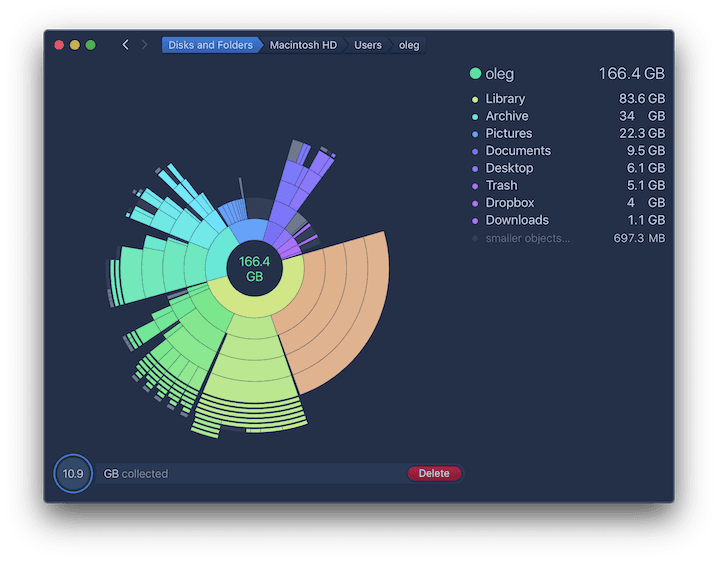
You'll see DaisyDisk recommended on most forums like Reddit. For good reason. It's pretty much the 'gold standard' for user experience. The "Collector" feature is genius, it separates decision from deletion, so you can mark files for removal without committing. It's $10, but in active development, and it's always getting peppered with new features.
It's pretty much the best sunburst visualiser. Native Swift means excellent Apple Silicon performance.
Standout Features
Screenshot
Our Take
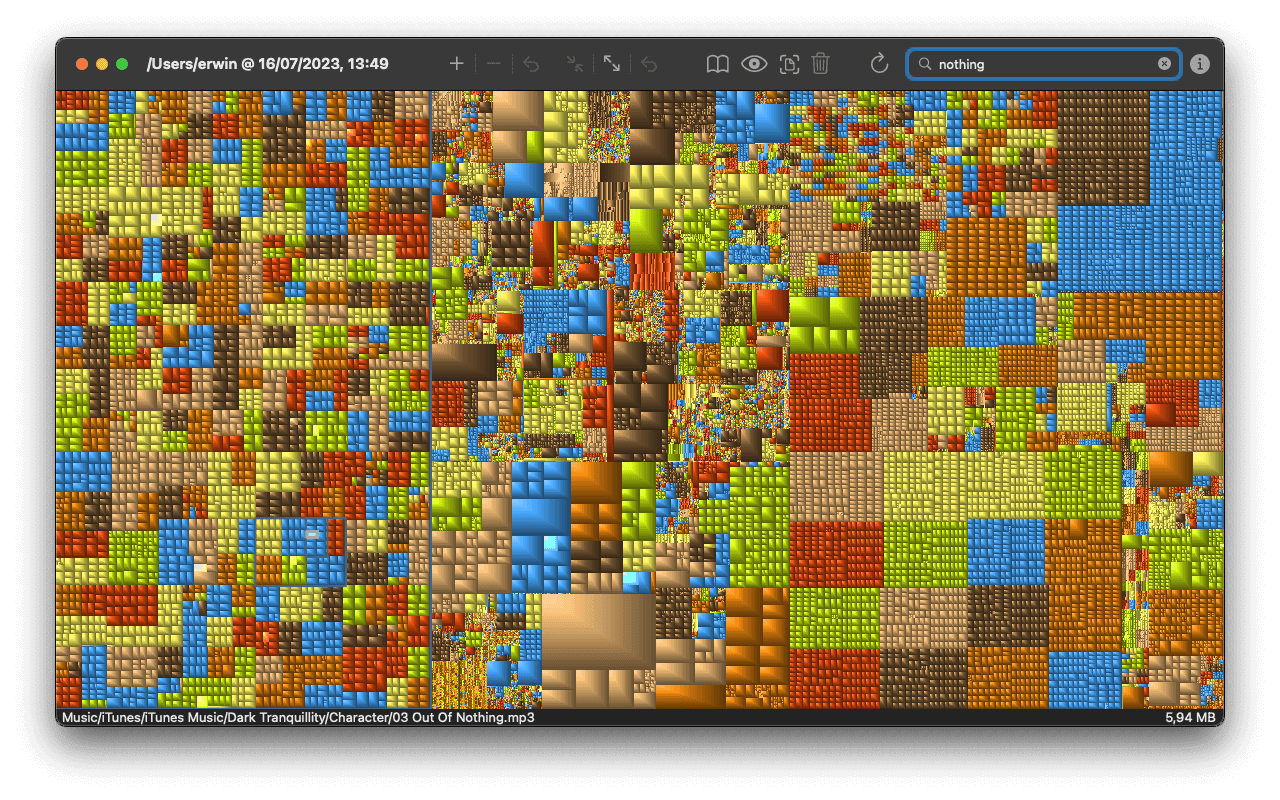
GrandPerspective is the go-to free standard for Treemap visualisers. Unfortunately, the UI looks a bit dated - it was released in 2005 and hasn't changed much. Scan speeds are noticeably slower than native tools. It's a little clunky to use, but as they say - if it's not broke, don't fix it. It's got a bit of a cult following.
Standout Features
Screenshot
Our Take
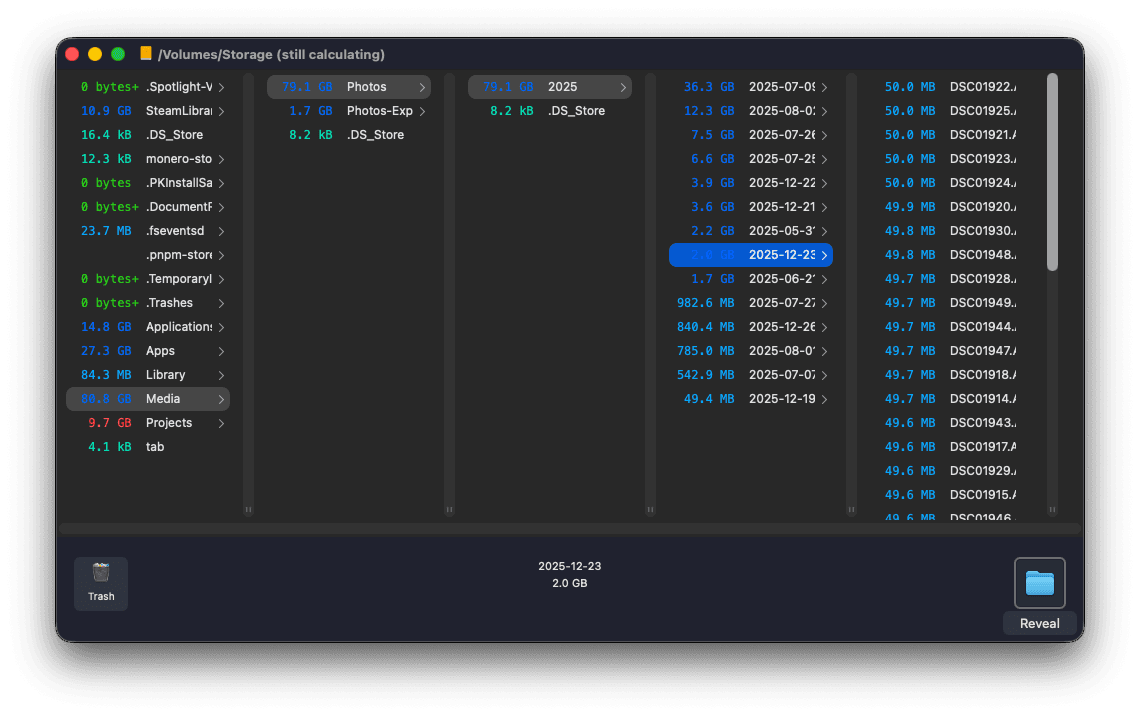
OmniDiskSweeper is a free utility made by omnigroup - a company specialising in productivity software for mac. It's nifty, lightweight, and scans decently fast - although it doesn't show you scan progress. Good if you prefer a finder-like experience.
Standout Features
Screenshot
Our Take
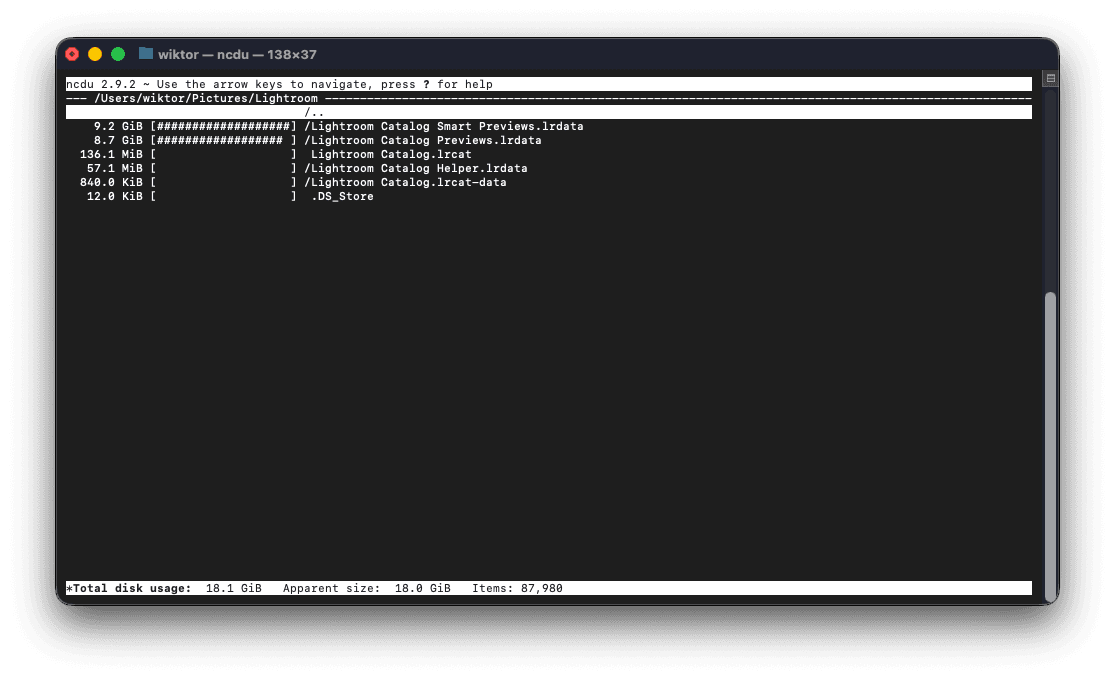
ncdu (NCurses Disk Usage) is the fastest disk analyzer available. Written in C, it scans drives almost instantly. It works over SSH, making it essential for server admins. Go re-writes are also available. It was initially made for servers, but if you're a terminal type, then this is great for you.
Install with: brew install ncdu. Navigate with arrow keys, delete with "d".
Standout Features
Screenshot
Our Take
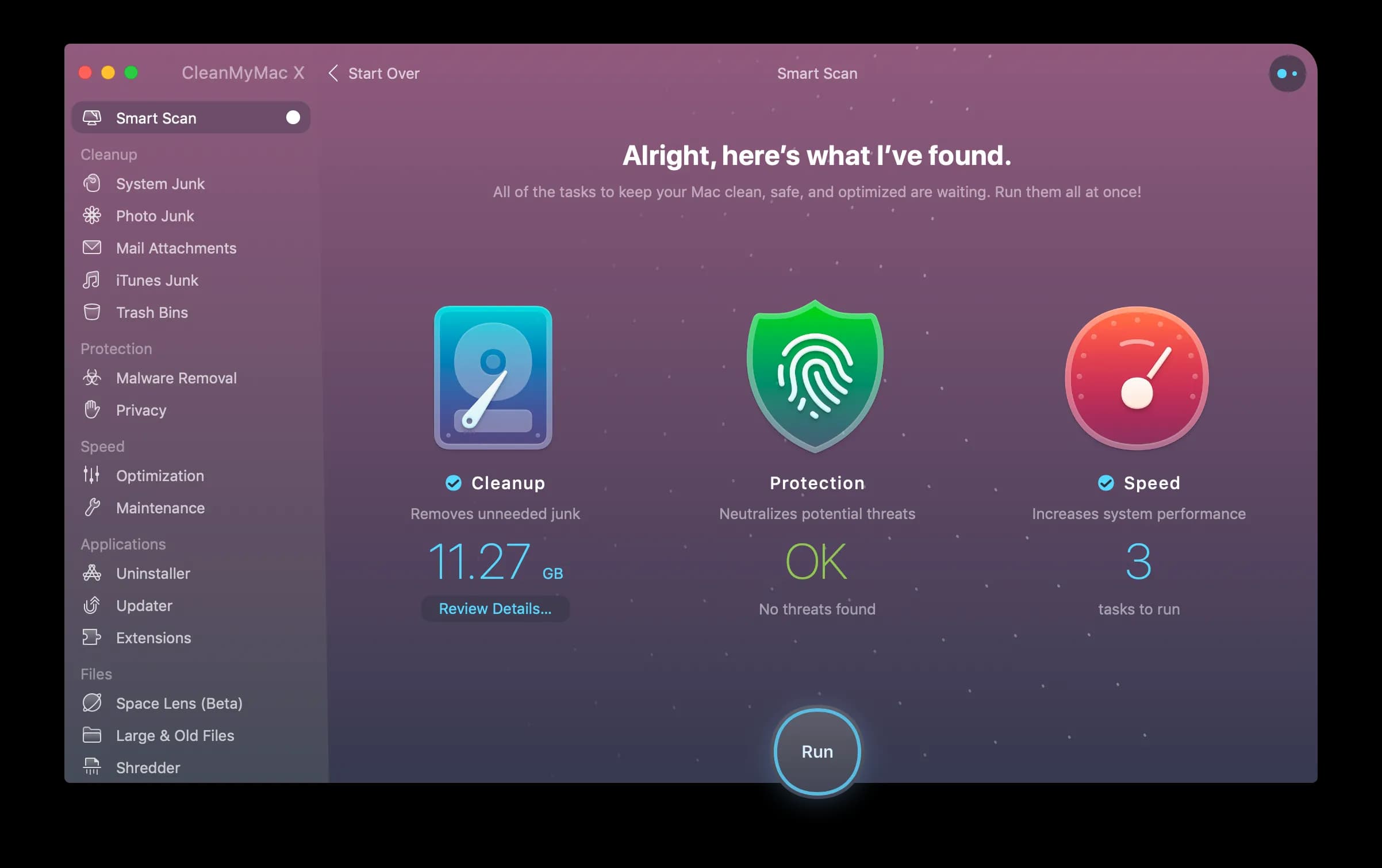
CleanMyMac is an all-in-one Swiss Army knife. The "Space Lens" visualization is pretty, and the app includes malware scanning, app uninstalling, and system optimization. It's pretty heavy, though, and also pretty pricy. At $40/year, you're paying for features you will not need. If you only want disk analysis, this is overkill. Be cautious of background "optimization" agents.
Standout Features
Screenshot
Our Take
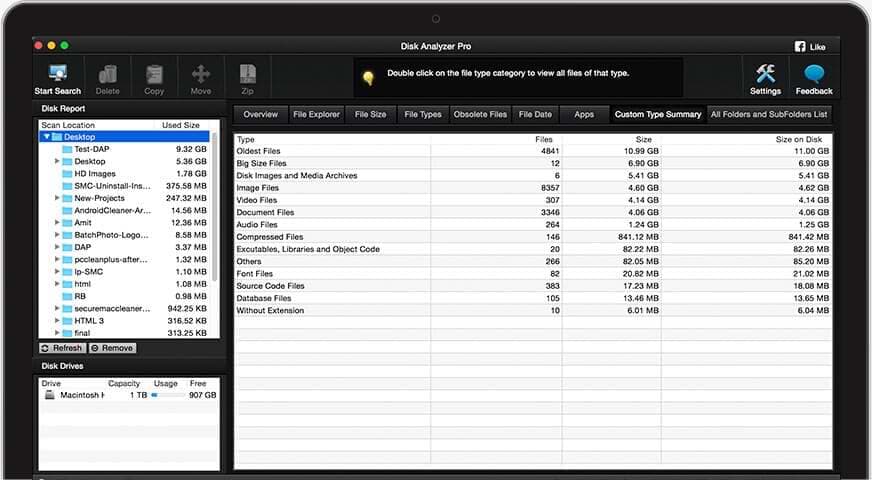
Diskanalyzer is great for the 'data nerd'. Their dashboard shows a lot - we think this is a bad thing, some may think it's a good thing. Decent scanning, ok price. Better alternatives.
Standout Features
Screenshot
Our Take
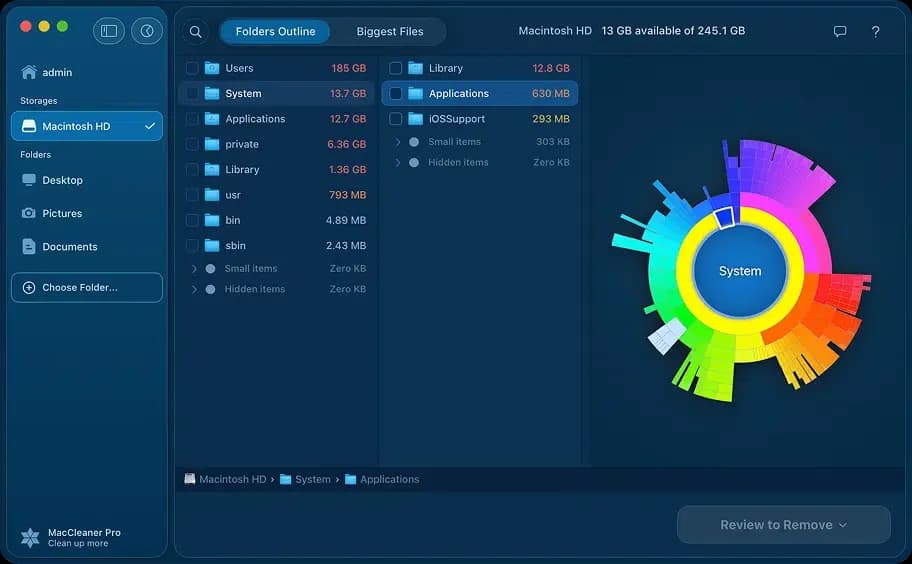
We like nektony, but we don't like their licencing model. Yearly price, locked into 2 macs. Their disk analyser is used as an up-sell into their MacCleaner Pro suite.
Standout Features
Screenshot
Our Take
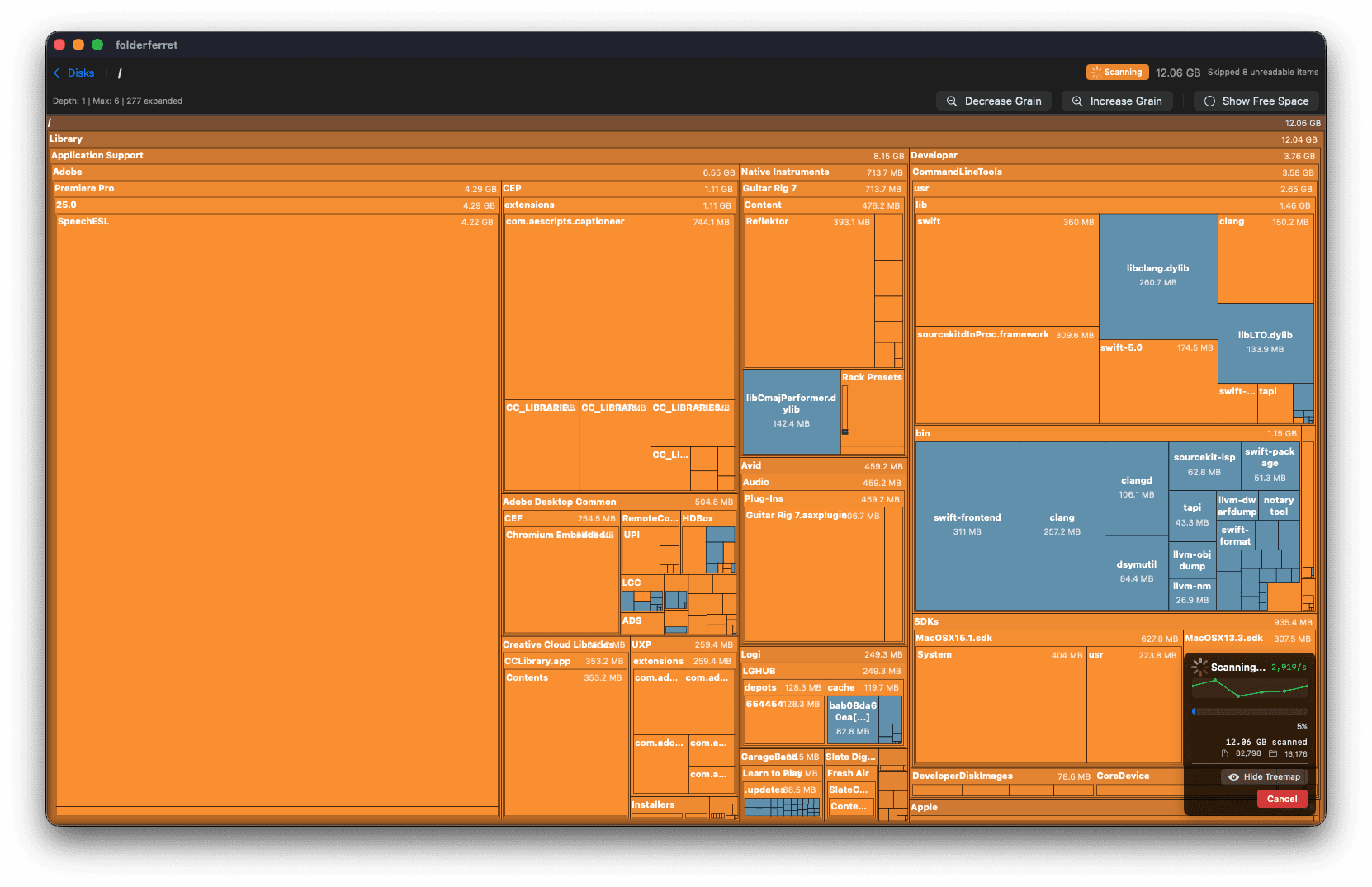
Disclaimer, you're on the ByteBeagle website. We developed it with usability in mind. It's not the fastest to scan (we're trying to crack that secret sauce), but our goal is for you to find your big files in the best visual way.
We built this because we wanted GrandPerspective's data density with DaisyDisk's polish. One-time purchase, no subscriptions, no background agents.
Standout Features
Screenshot
At the end of the day, all tools have their merits. You choose what you need. Who am I to convince you? All I hope you do is give Bytebeagle a shot - I think I've made something that's quite cool and could help a bunch of folks out. Thanks!
There's no single "best" tool. It depends on your workflow. Casual users should grab DaisyDisk or Bytebeagle, depending on their preference in visualisation ($10, one-time). Power users should combine open soucre tooling to get what they need (free). Terminal warriors: ncdu or gdu.